bitpro가 원문에서 글자만 모은 내용이에요. 표·그림·수식은 빠지거나 깨질 수 있어요. 전체 75쪽 중 55쪽
type: 'string', description: 'The city, e.g. San Francisco, CA'}] |
| knowledge\_base\_token | string (Optional) | Specify the knowledge base the widget uses. | |
`FunctionParameter`
| Field's Name | JSON Type (Required/Optional) | Description | Example |
| ------------ | ----------------------------- | ---------------------------------------------------------------------- | ---------------------------------- |
| name | string (Required) | Specifies the name of the function parameter in FunctionParameter. | 'city' |
| type | string (Required) | Specifies the type of the function parameter in FunctionParameter. | 'list', 'string' or 'number' |
| description | string (Required) | Provides a description of the function parameter in FunctionParameter. | 'The city, e.g. San Francisco, CA' |
### Function Call
If you want to execute LLM function calls, you may specify `function_name`, `function_description` and `function_parameters` fields.
{% hint style="info" %}
Function calls can be seen as a formatting wrapper provided by LLM (currently only supports OpenAI series models), allowing parameters to be input via JSON, and outputting a serial JSON. 
Reference:
* <https://www.promptingguide.ai/applications/function_calling>
* <https://platform.openai.com/docs/api-reference/chat/create>
{% endhint %}
For LLM function calls, the output of the widget is a JSON object, which includes the LLM returned results and will be automatically output to the state machine output in the form of key-value pairs.
### Example
```json
{
"id": "prompt_widget_template",
"initial": "home_state",
"states": {
"home_state": {
"inputs": {
"input_message": {
"type": "IM",
"user_input": true
}
},
"tasks": [
{
"name": "llm_widget_example_task",
"module_type": "AnyWidgetModule",
"module_config": {
"widget_id": "1744214047475109888",
"user_prompt": "{{input_message}}", // the text inputted into prompt widget, you can get it from user input or upper state
"system_prompt": "Act as ...", // Optional field. You can input system prompt of bot.
"top_p": 0.5, // Optional field. Default value is 0.5
"temperature": 0.5, // Optional field. Default value is 0.5
"frequency_penalty": 0, // Optional field. Default value is 0
"presence_penalty": 0, // Optional field. Default value is 0
"output_name": "result"
}
}
],
"render": {
"text": "{{result}}", // it's a string produced by prompt widget.
"buttons": [
{
"content": "Chat Again",
"description": "",
"on_click": "rerun"
}
]
},
"transitions": {
"rerun": "home_state",
"CHAT": "home_state"
}
}
}
}
```
# TTS Widget
Widget in Workshop
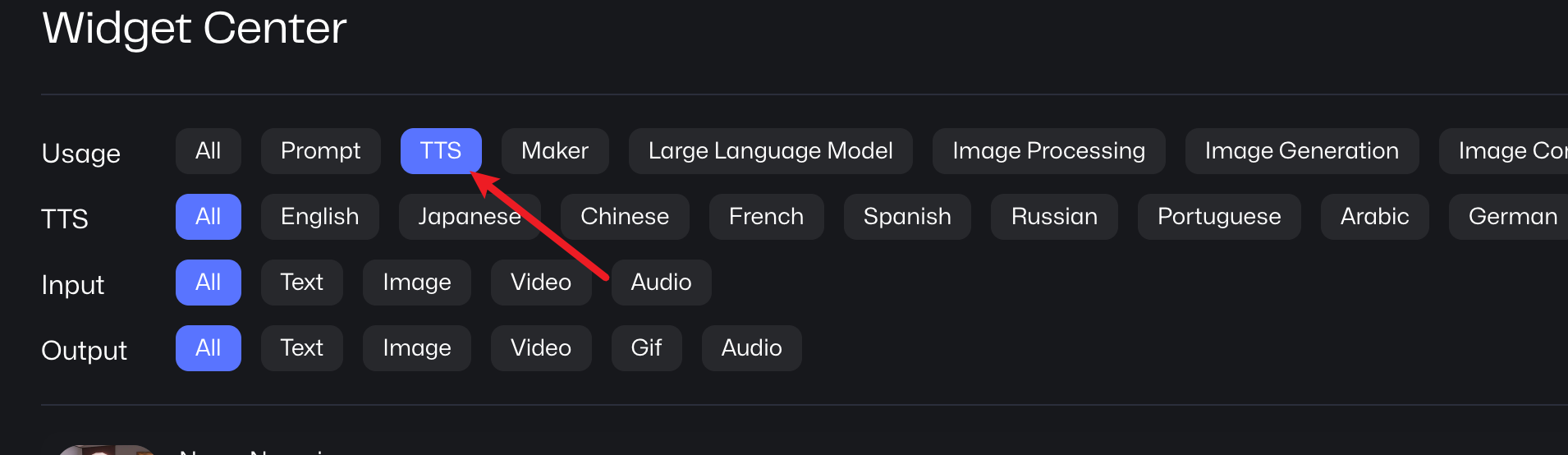
Config
Fields besides `widget_id` and `output_name`
| Field's Name | JSON Type (Required/Optional) | Description | Example |
| ------------ | ----------------------------- | ----------------------------------------------------- | -------- |
| content | string (Required) | User input message processed by language models. | ‘Hello.’ |
| speed | number (Optional) | Speed of audio. The number should be between 0 and 2. | '1.5' |
Example
```json
{
"id": "test",
"initial": "home_state",
"states": {
"home_state": {
"inputs": {
"read_text": {
"type": "text",
"user_input": true
}
},
"tasks": [
{
"name": "any_module_test_task",
"module_type": "AnyWidgetModule",
"module_config": {
"widget_id": "1743159010695057408",
"content": "{{read_text}}",
"speed": 1,
"output_name": "result"
}
}
],
"render": {
"text": "{{read_text}}",
"audio": "{{result}}",
"buttons": [
{
"content":"Listen Again",
"description":"",
"on_click":"listen"
}
]
},
"transitions": {
"listen": "home_state"
}
}
}
}
```
# Code Runner Widget
### Widgets in Workshop
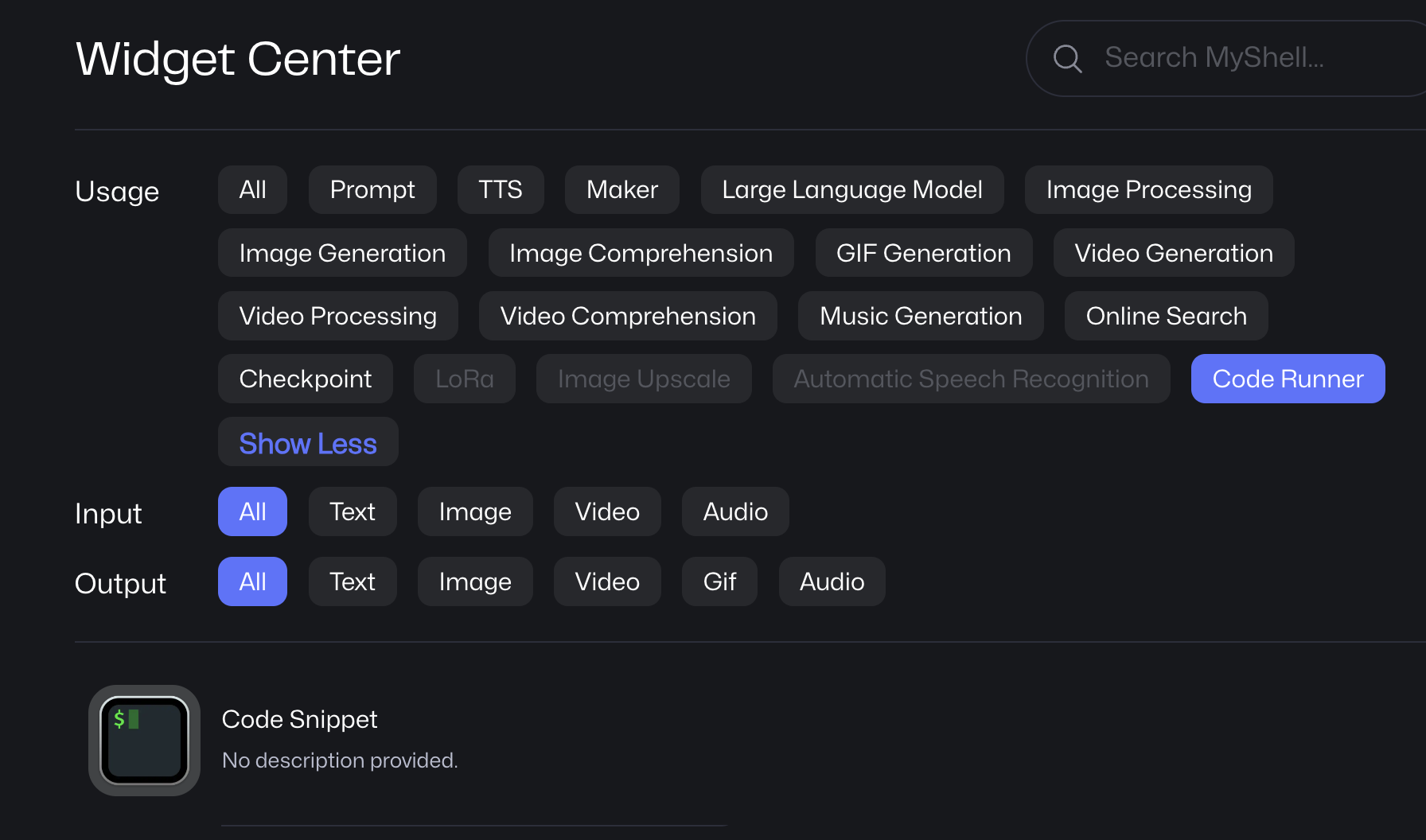
{% hint style="info" %}
Currently we only provide JavaScript code runner. The supported syntax remains consistent with [공통](/ko/create/pro-config-mode/basic/common#expression), including ECMAScript 5.1 and certain 6+ features.\
We don't support third-party libraries or host-environment-specific API like `fetch.`
{% endhint %}
### Config
Fields besides `widget_id` and `output_name`
| Field's Name | JSON Type (Required/Optional) | Description | Example |
| ------------ | ----------------------------- | ---------------------------------------------------------------------------------- | ------------------------------------------------------------------------------------------ |
| code | string (Required) | A stringified code snippet. It should contain one or more function definitions. | "function main(params) {\n const { a, b } = params;\n const sum = a + b;\n return sum;\n}" |
| function | string (Optional) | The name of the function you want to call in the code snippet. Defaults to `main`. | 'main' |
| params | Object (Optional) | The parameters you pass to the calling function. | ‘Hello.’ |
{% hint style="info" %}
You can use the widget's 'Copy' button to get a stringified code snippet for `code` field.
{% endhint %}
<figure><img src="https://content.gitbook.com/content/ltA4oqsKoJ26g4ArBpEA/blobs/hJNoQly94zp0heDBaOa5/copy%20code.png" alt=""><figcaption><p>Copy code</p></figcaption></figure>
### Example
{% code overflow="wrap" %}
```json
{
"id": "code_widget_template",
"initial": "home_state",
"states": {
"home_state": {
"tasks": [
{
"name": "code_widget_example_task",
"module_type": "AnyWidgetModule",
"module_config": {
"widget_id": "1751859390353202447",
"params": {
"a": "{{1}}",
"b": "{{2}}"
},
"code": "function main(params) {\n const { a, b } = params;\n const sum = a + b;\n return sum;\n}", // the text inputted into prompt widget, you can get it from user input or upper state
"output_name": "result"
}
}
],
"render": {
"text": "{{result}}", // it's a string produced by prompt widget.
"buttons": [
{
"content": "Run Again",
"description": "",
"on_click": "rerun"
}
]
},
"transitions": {
"rerun": "home_state",
"CHAT": "home_state"
}
}
}
}
```
{% endcode %}
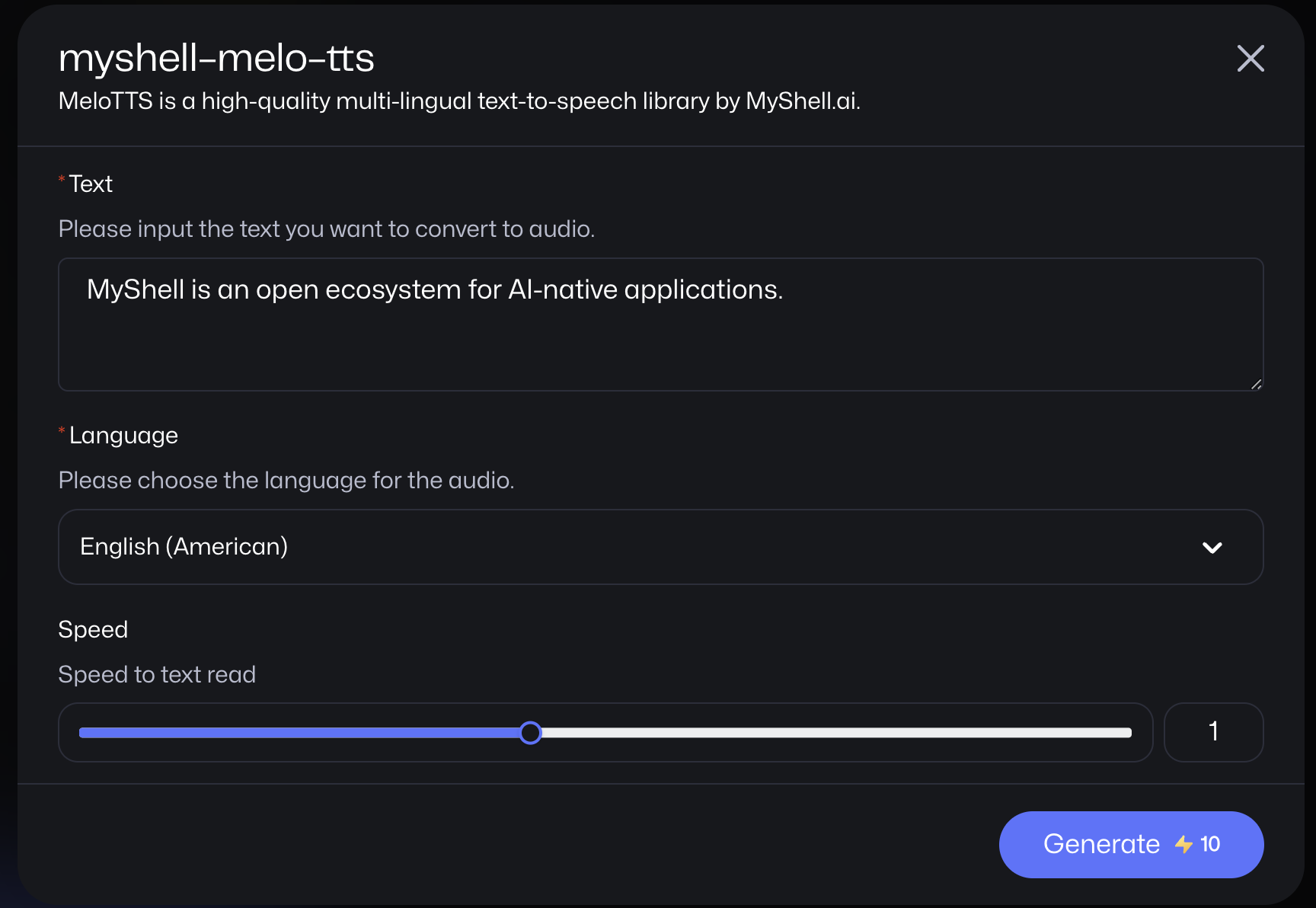
# Melo TTS
### Widget
{% embed url="<https://app.myshell.ai/widget/32AnEr>" %}
### Config
### Example
```json
{
"id": "test",
"initial": "home_state",
"states": {
"home_state": {
"inputs": {
"input_message": {
"type": "text",
"user_input": true
}
},
"tasks": [
{
"name": "any_module_test_task",
"module_type": "AnyWidgetModule",
"module_config": {
"widget_id": "1745097608856756779",
"language": "en_us",
"speed": 1,
"text": "{{input_message}}",
"output_name": "result"
}
}
],
"render": {
"text": "My Voice",
"audio": "{{result.file_url}}",
"buttons": [
{
"content": "Listen Again",
"description": "",
"on_click": "listen"
}
]
},
"transitions": {
"listen": "home_state"
}
}
}
}
```
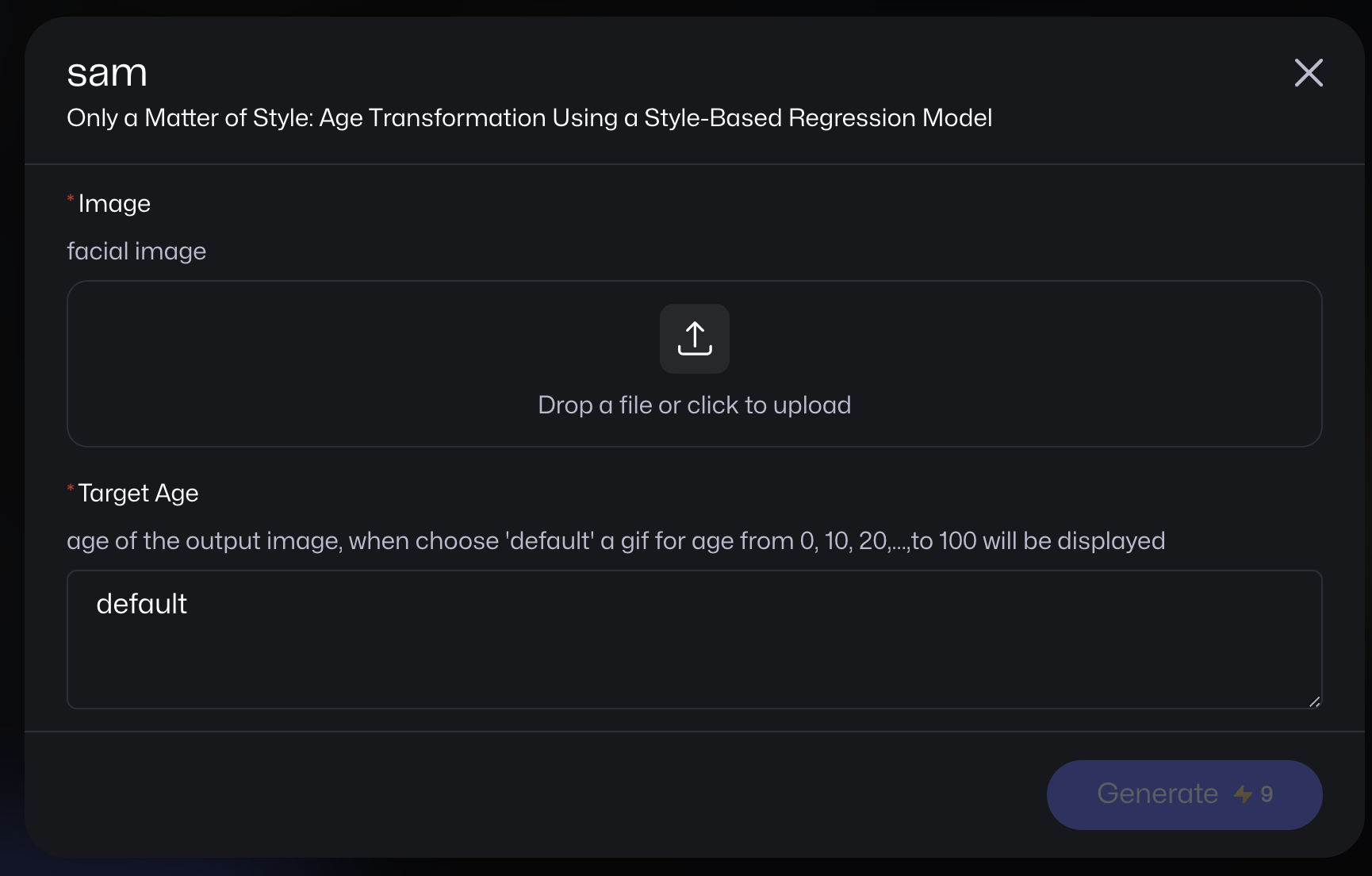
# Age Transformation
### Widget
{% embed url="<https://app.myshell.ai/widget/vEfYV3>" %}
### Config
### Example
```json
{
"id": "test",
"initial": "home_state",
"states": {
"home_state": {
"inputs": {
"your_face_image_url": {
"type": "image",
"user_input": true
}
},
"tasks": [
{
"name": "any_module_test_task",
"module_type": "AnyWidgetModule",
"module_config": {
"widget_id": "1743838658173079552",
"image": "{{your_face_image_url}}",
"target_age": "default",
"output_name": "result"
}
}
],
"render": {
"text": "Result",
"image": "{{result.file_url}}",
"buttons": [
{
"content": "Generate Again",
"description": "",
"on_click": "generate"
}
]
},
"transitions": {
"generate": "home_state"
}
}
}
}
```
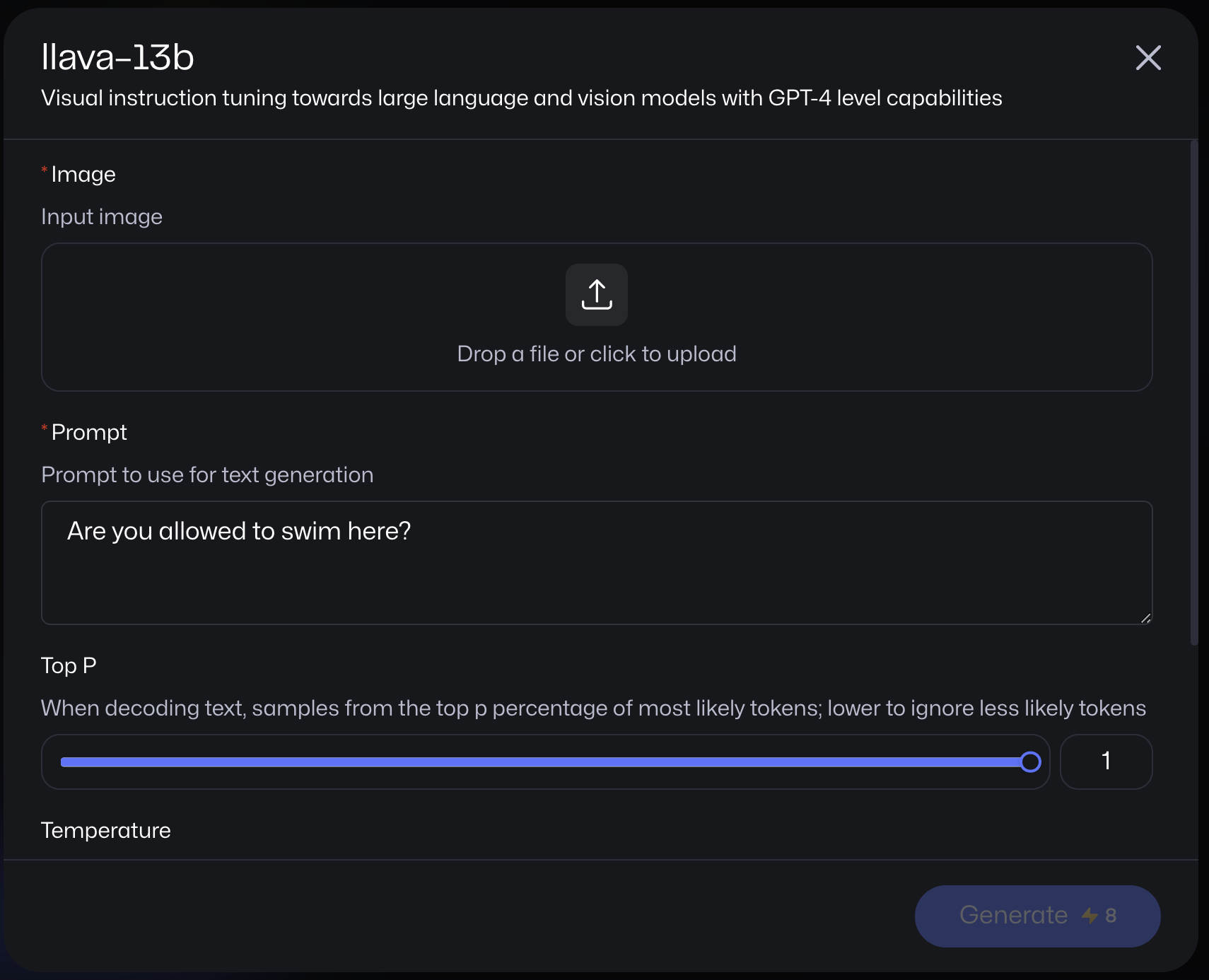
# ChatImg
### Widget
{% embed url="<https://app.myshell.ai/widget/eemAzu>" %}
### Config
### Example
```json
{
"id": "test",
"initial": "home_state",
"states": {
"home_state": {
"inputs": {
"your_image_url": {
"type": "image",
"user_input": true
},
"your_question": {
"type": "text",
"user_input": true
}
},
"tasks": [
{
"name": "any_module_test_task",
"module_type": "AnyWidgetModule",
"module_config": {
"widget_id": "1743838640687026176",
"output_name": "result",
"image": "{{your_image_url}}",
"prompt": "{{your_question}}",
"top_p": 1,
"temperature": 0.2,
"max_tokens": 1024
}
}
],
"render": {
"text": "{{result.content}}",
"buttons": [
{
"content": "Generate Again",
"description": "",
"on_click": "generate"
}
]
},
"transitions": {
"generate": "home_state"
}
}
}
}
```
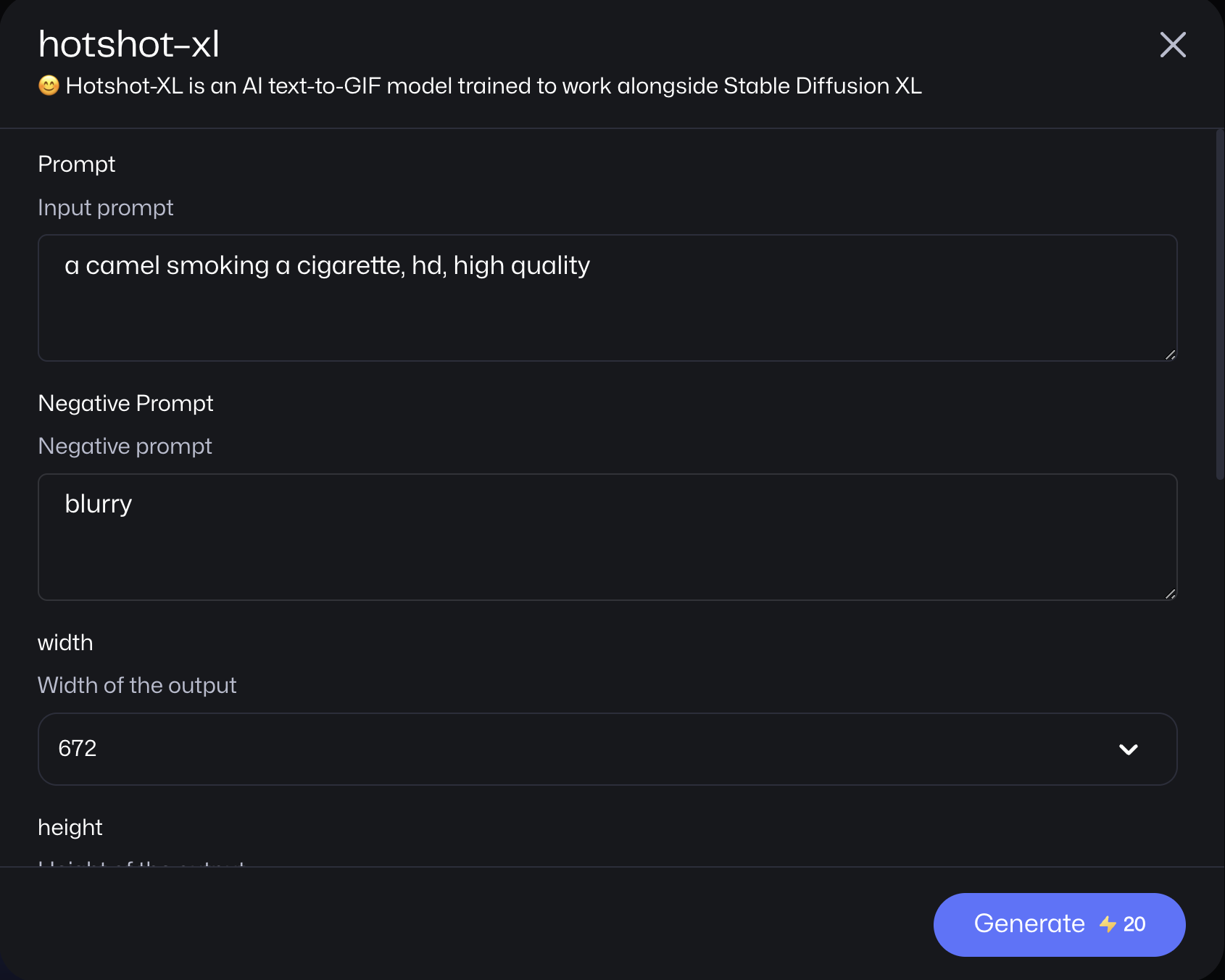
# GIF Generation
### GIF Generation
### Widget
{% embed url="<https://app.myshell.ai/widget/N32eA3>" %}
### Config
### Example
```json
{
"id": "test",
"initial": "home_state",
"states": {
"home_state": {
"inputs": {
"prompt": {
"type": "text",
"user_input": true
}
},
"tasks": [
{
"name": "any_module_test_task",
"module_type": "AnyWidgetModule",
"module_config": {
"widget_id": "1743838648844947456",
"output_name": "result",
"prompt": "{{prompt}}",
"negative_prompt": "blurry",
"width": 672,
"height": 384,
"scheduler": "EulerAncestralDiscreteScheduler",
"steps": 30,
"mp4": false,
"seed": 6226
}
}
],
"render": {
"text": "Result",
"image": "{{result.file_url}}",
"buttons": [
{
"content": "Generate Again",
"description": "",
"on_click": "generate"
}
]
},
"transitions": {
"generate": "home_state"
}
}
}
}
```
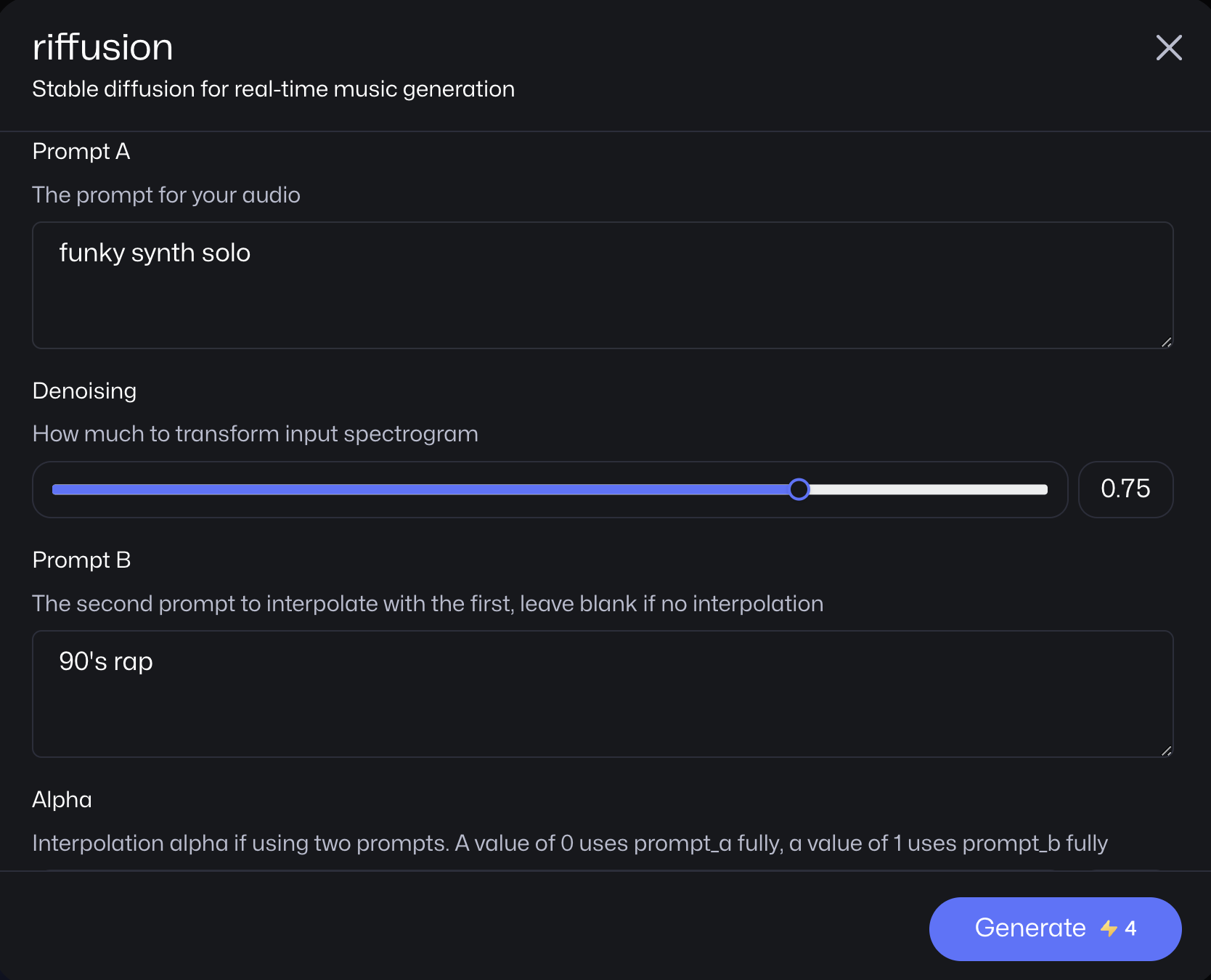
# Music Generation
### Widget
{% embed url="<https://app.myshell.ai/widget/MJBzEb>" %}
### Config
### Example
```json
{
"id": "test",
"initial": "home_state",
"states": {
"home_state": {
"inputs": {
"prompt_a": {
"type": "text",
"user_input": true
},
"prompt_b": {
"type": "text",
"user_input": true
}
},
"tasks": [
{
"name": "any_module_test_task",
"module_type": "AnyWidgetModule",
"module_config": {
"widget_id": "1743838636299784192",
"output_name": "result",
"prompt_a": "{{prompt_a}}",
"denoising": 0.75,
"prompt_b": "{{prompt_b}}",
"alpha": 0.5,
"num_inference_steps": 50,
"seed_image_id": "vibes"
}
}
],
"render": {
"text": "Result",
"audio": "{{result.audio}}",
"buttons": [
{
"content": "Generate Again",
"description": "",
"on_click": "generate"
}
]
},
"transitions": {
"generate": "home_state"
}
}
}
}
```
# LLM Module
Most fields are compatible with [OpenAI API](https://platform.openai.com/docs/api-reference/chat/create).
`LLMConfig`
| Field's Name | JSON Type (Required/Optional) | Description | Example |
| ------------------ | ----------------------------- | ----------------------------------------------------------------------------- | ------------------------------------------------------------- |
| model | "gpt-35-turbo-16k" | "gpt-4-1116-preview" (Required) | Determines the OpenAI language model to be used in LLMConfig. |
| temperature | number (Optional) | Controls randomness in the LLMConfig model's responses. | 0.6 |
| top\_p | number (Optional) | Controls diversity via nucleus sampling in LLMConfig. | 0.8 |
| max\_tokens | number (Optional) | Determines the maximum length of the model’s response in LLMConfig. | 150 |
| presence\_penalty | number (Optional) | Influences the likelihood of the model to talk about new topics in LLMConfig. | 0.6 |
| frequency\_penalty | number (Optional) | Controls how often the model makes use of infrequent words in LLMConfig. | 0.5 |
| memory | MemoryItem\[] (Optional) | Stores information acquired across multiple rounds of dialog in LLMConfig. | \[{ role: 'user', content: 'Hello World' }] |
| need\_memory | boolean (Optional) | Determines if memory usage is required in LLMConfig. | true |
| system\_prompt | string | Expression (Required) | Provides system prompt for the user in LLMConfig. |
| user\_prompt | string | Expression (Required) | Provides user prompt for the system in LLMConfig. |
| output\_name | string (Required) | Determines the name of the module output in LLMConfig, defaults to 'reply'. | "reply" |
`MemoryItem`
| Field's Name | JSON Type (Required/Optional) | Description | Example |
| ------------ | ----------------------------- | --------------------- | ------------------------------------------------------------ |
| role | user | assistant (Required) | Specifies the source of the memory item in MemoryItem. |
| content | string | Expression (Required) | Specifies the actual value of the memory item in MemoryItem. |
####
# LLM Function Module
`LLMFunctionModule` is a module used for executing LLM function calls.
Function calls can be seen as a formatting wrapper provided by LLM (currently only supports OpenAI series models), allowing parameters to be input via JSON, and outputting a serial JSON as we defined in `function_parameters`.
Reference:
* <https://www.promptingguide.ai/applications/function_calling>
* <https://platform.openai.com/docs/api-reference/chat/create>
The module input can be specified by each parameter in the config.
The output of the module is a JSON object, which includes the LLM return results and will be automatically output to the state machine output in the form of key-value pairs.
`LLMFunctionConfig` is similar to `LLMConfig`. It only differs by:
* the lack of `output_name`
* three fields starting with `function_`, which are vital for the LLMFunctionModule as they control the function behavior. They will be placed in the tools field of the LLM Request Body.
`LLMFunctionConfig`
| Field's Name | JSON Type (Required/Optional) | Description | Example |
| --------------------- | ------------------------------- | -------------------------------------------------------------- | ---------------------------------------------------------------------------------- |
| function\_name | string (Required) | Specifies the name of the function in LLMFunctionConfig. | 'get\_current\_weather' |
| function\_description | string (Required) | Provides a description of the function in LLMFunctionConfig. | 'Get the current weather in a given location' |
| function\_parameters | FunctionParameter\[] (Required) | Specifies the parameters of the function in LLMFunctionConfig. | \[{name: 'city', type: 'string', description: 'The city, e.g. San Francisco, CA'}] |
`FunctionParameter`
| Field's Name | JSON Type (Required/Optional) | Description | Example |
| ------------ | ----------------------------- | ---------------------------------------------------------------------- | ---------------------------------- |
| name | string (Required) | Specifies the name of the function parameter in FunctionParameter. | 'city' |
| type | string (Required) | Specifies the type of the function parameter in FunctionParameter. | 'list', 'string' or 'number' |
| description | string (Required) | Provides a description of the function parameter in FunctionParameter. | 'The city, e.g. San Francisco, CA' |
# TTS Module
TTSModule provides creators with the ability to freely assemble TTS (Text-to-Speech) configurations within MyShell.
`TTSConfig`
| Field's Name | JSON Type (Required/Optional) | Description | Example |
| ---------------- | ----------------------------- | ------------------------------------------------------------------------------------------------------------------------------------------------------------------------------ | ----------------------------------------------- |
| tts\_widget\_url | string (Required) | Specifies the URL for the TTS widget. Creators can select their desired voices in the Workshop, and use the share function to obtain a shared widget link, which is used here. | '<https://app.myshell.ai/widget/yi2aIf>' |
| content | string | Expression (Required) | Specifies the text that needs to be read aloud. |
| output\_name | string (Required) | Specifies the name of the output in TtsConfig. | 'output' |
# Google Search Module
`GoogleSearchModule` provides creators with the ability to access google search and retrieve search result within Pro Config.
`GoogleSearchConfig`
| Field's Name | JSON Type (Required/Optional) | Description | Example |
| ------------------- | ------------------------------ | --------------------------------------------------------------------------------------------------------------- | ---------------------- |
| query | string (Required) | The search query in Google. | 'What is the weather?' |
| num\_results | number (Optional. Default:3) | The number of search results. Keep in mind that more results may increase the module's response time. | 3 |
| length\_per\_result | number (Optional. Default:500) | The maximum character length for each retrieved search result. Any text exceeding this limit will be truncated. | 500 |
| output\_name | string (Required) | Specifies the name of the output in GoogleSearchModule. | 'output' |
**Example**
```json
{
"id": "test",
"initial": "home_state",
"states": {
"home_state": {
"inputs": {
"text_to_be_search": {
"type": "text",
"user_input": true
}
},
"tasks": [
{
"name": "google_search_module_test_task",
"module_type": "GoogleSearchModule",
"module_config": {
"query": "{{text_to_be_search}}",
"num_results": 3,
"length_per_result":500,
"output_name": "result"
}
}
],
"render": {
"text": "{{result}}",
"buttons": [
{
"content":"Search Again",
"description":"",
"on_click":"search"
}
]
},
"transitions": {
"search": "home_state"
}
}
}
}
```
# Widgets
# Bark TTS
Runs TTS with Bark.
## Try it in the Widget Center
Click this [url](https://app.myshell.ai/robot-workshop/widget/1781991719128457216) to try this widget and copy the Pro Config template.
## Usage
#### Supported Languages
> * English
> * Chinese
> * German
> * Spanish
> * French
> * Hindi
> * Italian
> * Japanese
> * Korean
> * Polish
> * Portuguese
> * Russian
> * Turkish
The languages are auto-detected. Bark-TTS also supports serval non-speech sounds.
**Input Parameters**
<table><thead><tr><th>Name</th><th>Type</th><th>Description</th><th>Default</th><th data-type="checkbox">Required</th></tr></thead><tbody><tr><td>prompt</td><td><code>string</code></td><td><p>The text prompt for model to generate audio. Here are some non-speech sounds:</p><pre><code> - [laughter]
- [laughs]
- [sighs]
- [music]
- [gasps]
- [clears throat]
- — or ... | for hesitations
- ♪ | for song lyrics
- Capitalization | for emphasis of a word
- NARRATOR: / MAN: / WOMAN: | for bias towards speaker</td><td>Hello, my name is Suno. And, uh — and I like pizza. [laughs] But I also have other interests such as playing tic tac toe.</td><td>false</td></tr>
</code></pre></td><td>Hello, my name is Suno. And, uh — and I like pizza. [laughs] But I also have other interests such as playing tic tac toe.</td><td>true</td></tr><tr><td>history_prompt</td><td><code>string</code></td><td><p>history choice for audio cloning, choose from the list. To mitigate misuse of this technology, we limit the audio history prompts to a limited set.</p><pre><code> It is possible to use for example a german history prompt with english text. This usually leads to english audio with a german accent.</td><td>en_speaker_0</td><td>false</td></tr>
</code></pre></td><td>en_speaker_0</td><td>true</td></tr><tr><td>text_temp</td><td><code>number</code></td><td>generation temperature during text encoding (1.0 more diverse, 0.0 more conservative)</td><td>0.7</td><td>false</td></tr><tr><td>waveform_temp</td><td><code>number</code></td><td>generation temperature during 프로젝트로 돌아가기
